Roll Pets to Fight Codes
Official description codes, rewards, and how to redeem them before they rotate.
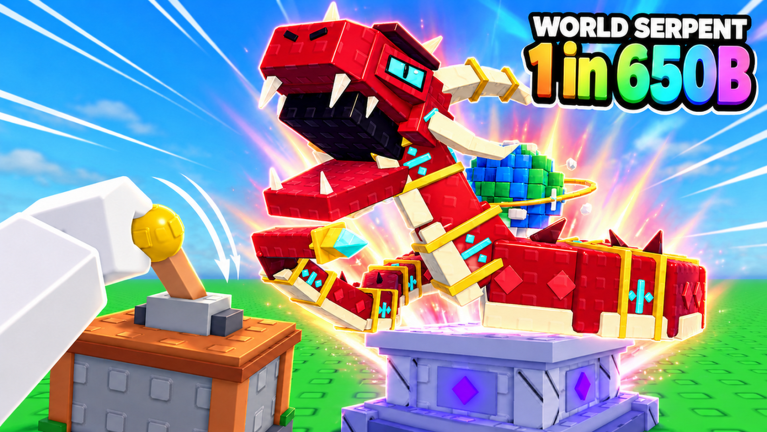
Codes listed on the official Roblox page (November 2026)
Roll Pets to Fight by Beacon Interactive lists promo codes on the official experience description. As of November 2026, the strings shown there are 1000CCU, 10000FAVS, and ADMINABUSE. Enter each code exactly—case and spelling matter unless the UI normalizes input. We refresh this hub when the Roblox page, in-game panel, or milestone drops change.
Live snapshot context for the place around 11 November 2026: roughly ~2,020 players online at check time, on the order of ~307k visits, and about ~38k favorites. Those numbers move hourly; treat them as ballpark proof the experience is active, not as permanent stats.
| Code | Typical reward | Status / notes |
|---|---|---|
1000CCU | 1,000 Crystals | Listed on the official description — CCU milestone style gift |
10000FAVS | 10,000,000 Cash | Listed on the official description — favorites goal style gift |
ADMINABUSE | Event freebies (verify) | Listed on the official description, but may be event-only; redeem to confirm, do not budget around it |
Redeem as soon as you load in. Crystal and Cash dumps accelerate early rolls, pet buys, and biome unlocks on the path from Meadow toward Void Rift. Pair fresh codes with the Getting Started loop and the Controls HUD map so you can find the left-side Codes button instantly. If a string fails, double-check spelling, then assume it expired or is outside an admin window—even if the Roblox description still shows it.
How to redeem (quick steps)
- Launch Roll Pets to Fight on Roblox and join a server (max 6 players).
- Look for the Codes button on the left side of the screen.
- Open the panel, type or paste the code into the text box.
- Press Redeem and confirm the reward toast.
Need failure fixes, mobile focus tips, and post-patch HUD troubleshooting? Read the full How to Redeem Codes guide and skim Controls & HUD if the left button is hard to spot.
ADMINABUSE and other verify-in-game notes
ADMINABUSE appears on the official November 2026 description alongside the two milestone codes, but admin-abuse style strings often work only during live creator events. Try it once per session after patches; if it returns invalid, move on without refreshing the page fifty times. Do not plan pet purchases that only succeed if ADMINABUSE pays out.
Older tracker leftovers and mistyped social posts still circulate in videos. Anything not on the current Roblox description or this table should be treated as expired until proven otherwise. Bookmark this Codes Hub and check Updates after big patches so you catch replacements quickly.
| Code / label | Status | Notes |
|---|---|---|
ADMINABUSE | Verify in game / possibly event-only | Officially listed; confirm live before relying on it |
older code lists | Expired | Older creator / promo leftovers — keep out of the working plan |
What codes are best spent on
Roll Pets to Fight is an incremental simulator: pull the lever, roll pets across 100 pets and 13 rarities (Common through Infinity—Infinity sits at roughly 1 in 1 trillion), place fighters in pens, clear bosses for loot, sell loot for Gold, then buy more rolled pets and push biomes. Free Crystals and Cash from codes shorten the awkward early hours—see Gold and Loot for reinvestment order.
- Crystals — prioritize rolls or shop offers that improve pet quality before you sink everything into raw Cash.
- Cash / Gold-equivalent dumps — buy promising rolls sitting in the shop, stock potions if you are mid-push, or fund Upgrade Tree nodes that speed the next biome.
- Do not burn a huge Cash code only on temporary cosmetics if your pens still run Common and other low-band pets.
After redeeming, return to the core loop: roll → pen → boss loot → sell → unlock the next of the 11 biomes (Meadow through Void Rift). Later systems—pet levels, relics, potions, Rebirths, and party Dungeons—benefit more when your baseline economy is already healthy.
Codes and co-op / dungeon play
Codes are per account, not per party. If you queue endless Dungeon content with up to four teammates (or chase the TOP DUNGEON leaderboard), each player should redeem personally before the run. Sharing a screenshot of a working code in party chat is fine; sharing accounts is not. For party etiquette and teammate tips, see the Players Hub and the Dungeon guide.
Staying updated
- Recheck the official Roblox description and this page after major Updates from Beacon Interactive.
- Redeem immediately—milestone codes often rotate when the next CCU or favorites goal lands.
- Keep a short personal note of what you already claimed so you do not spam Redeem on dead strings.
- New players should redeem, then follow Getting Started before overspending Gold on weak pets.
- When visits and favorites jump again (past the ~307k / ~38k early window), expect new goal codes and refresh this table.
Safety notes
- Never pay a stranger for “private codes.” Official drops are free.
- Never enter your Roblox password into third-party redeem sites. Use only the in-game Codes button.
- This wiki is fan-made and unaffiliated with Beacon Interactive; rewards and availability can change without notice.
Related pages
- How to Redeem Codes — full redeem walkthrough and troubleshooting
- Controls & HUD — find the left Codes button fast
- Getting Started — first-hour loop after claiming rewards
- Gold and Loot — spend Crystals and Cash without wrecking the economy
- Updates Hub — patch cadence and where new codes usually appear
- Tools Hub — planning checklist for Gold, rebirths, and biome order
- Scripts Hub — honesty note on automation (no verified scripts listed)
Frequently Asked Questions
Quick answers for Roll Pets to Fight players.
What Roll Pets to Fight codes are on the official page?
As of November 2026 the Roblox description lists 1000CCU, 10000FAVS, and ADMINABUSE. Re-test in-game; ADMINABUSE may be event-only.
How do I redeem a code in Roll Pets to Fight?
Open the Codes button on the left side of the screen, enter the code in the text box, and press Redeem. Full steps are on the How to Redeem guide.
Why did my code say invalid?
It may be mistyped, expired, already redeemed, outside an admin event window, or temporarily disabled after a patch. Try once more carefully, then move on.
Is ADMINABUSE still working?
It is listed on the official description but may only work during admin events. Redeem to confirm; never plan your economy around it.
Do codes work for the whole party?
No. Each Roblox account must redeem separately before dungeon parties or co-op sessions.